The blackberry phone keyboard is still one of those keybaords that everyone remembers fondly. Almost the perfect keyboard, but unfortunately, the pinout, drivers, and schematics aren’t open-sourced. So this project aims to disect the keyboard and find a way to communicate with it. Hopefully build it into future handheld projects.
Dissecting the Q10 keyboard
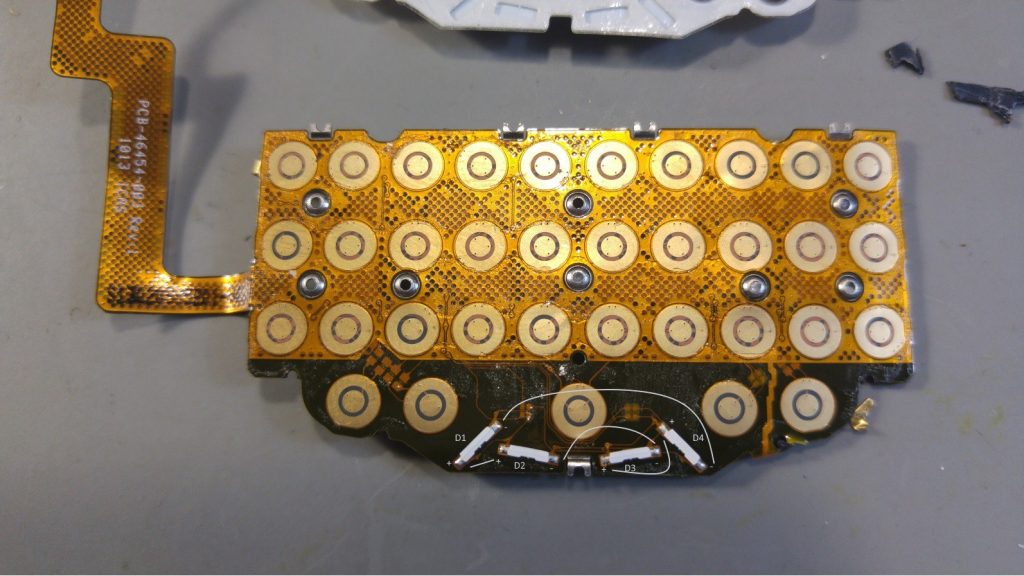
Step one was to literally disect a Blackberry Q10 keyboard to analylize the dome sheet and connector. 24 or 28 pins on the connector. I tried meassure the pitch and angle of the connector, but I don’t have tools for that, so I ended up ordering dozens of different connectors from DigiKey that had somewhere between 24 and 28 pins.
Finding a compatible connector
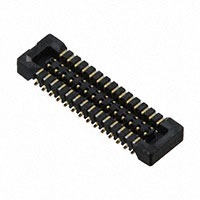
This was the winner! The part number for the keyboard cable interface receptor is the Hirose BM14B(0.B)-24DS-0.4V(53), available at Digikey (of course!) as part # H122178CT-ND
This is obviously not the Blackberry connector itself, but it’s cheap and works for the most part. it has a slightly different pitch angle and they don’t fit together perfectly, but it holds tight and works.
First adapter board
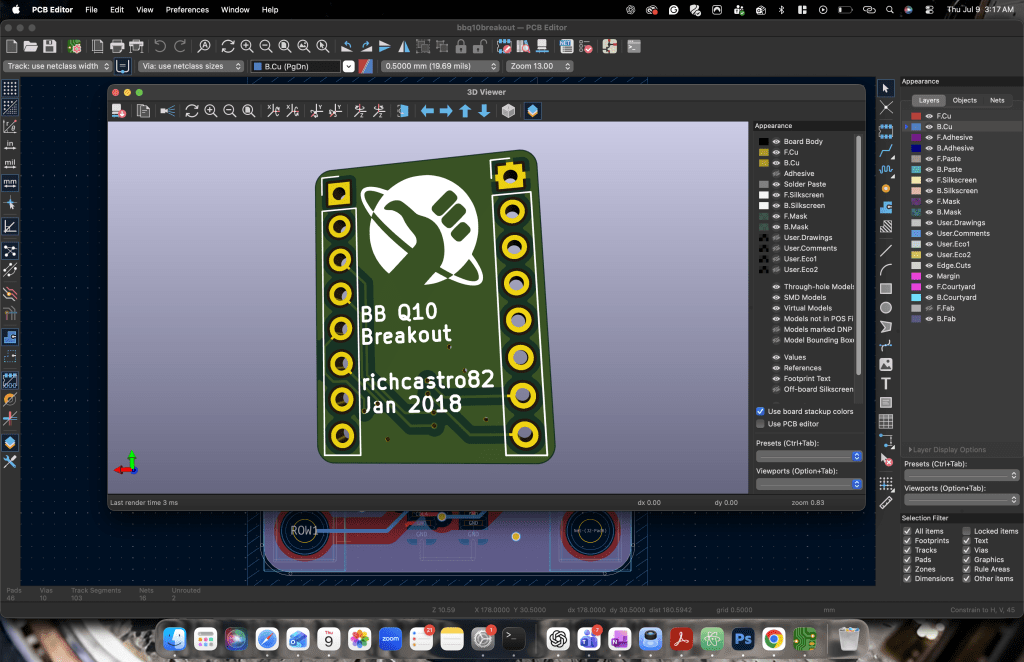
To keep things simple and cheap, the next step was to find the footprint for this connector with each pin going to a GPIO pinout so I could test the signals and figure out the pinout.
This is dirty but i wasn’t trying to waste time building this test adapter. I used pins from some extra Raspberry stacked headers. I ddin’t have a hotplate, so I used a heatgun which shows in my work lol.
Pinout
Firmware
byte rows[] = {2,3,4,5,6,7,8};
const int rowCount = sizeof(rows)/sizeof(rows[0]);

byte cols[] = {A0, A1, A2, 12, 11};
const int colCount = sizeof(cols)/sizeof(cols[0]);

bool keys[colCount][rowCount];
bool lastValue[colCount][rowCount];
bool changedValue[colCount][rowCount];

char keyboard[colCount][rowCount];
char keyboard_symbol[colCount][rowCount];

int keyboardLightSteps = 20;
int keyboardLight = 20;

bool symbolSelected;

void setup() {
    keyboard[0][0] = 'q';
    keyboard[0][1] = 'w';
    keyboard[0][2] = NULL; // symbol
    keyboard[0][3] = 'a';
    keyboard[0][4] = NULL; // ALT
    keyboard[0][5] = ' ';
    keyboard[0][6] = NULL; // Mic

    keyboard[1][0] = 'e';
    keyboard[1][1] = 's';
    keyboard[1][2] = 'd';
    keyboard[1][3] = 'p';
    keyboard[1][4] = 'x';
    keyboard[1][5] = 'z';
    keyboard[1][6] = NULL; // Left Shift

    keyboard[2][0] = 'r';
    keyboard[2][1] = 'g';
    keyboard[2][2] = 't';
    keyboard[2][3] = NULL; // Right Shit
    keyboard[2][4] = 'v';
    keyboard[2][5] = 'c';
    keyboard[2][6] = 'f';

    keyboard[3][0] = 'u';
    keyboard[3][1] = 'h';
    keyboard[3][2] = 'y';
    keyboard[3][3] = NULL; // Enter
    keyboard[3][4] = 'b';
    keyboard[3][5] = 'n';
    keyboard[3][6] = 'j';

    keyboard[4][0] = 'o';
    keyboard[4][1] = 'l';
    keyboard[4][2] = 'i';
    keyboard[4][3] = NULL; // Backspace
    keyboard[4][4] = '$';
    keyboard[4][5] = 'm';
    keyboard[4][6] = 'k';

    keyboard_symbol[0][0] = '#';
    keyboard_symbol[0][1] = '1';
    keyboard_symbol[0][2] = NULL;
    keyboard_symbol[0][3] = '*';
    keyboard_symbol[0][4] = NULL;
    keyboard_symbol[0][5] = NULL;
    keyboard_symbol[0][6] = '0';

    keyboard_symbol[1][0] = '2';
    keyboard_symbol[1][1] = '4';
    keyboard_symbol[1][2] = '5';
    keyboard_symbol[1][3] = '@';
    keyboard_symbol[1][4] = '8';
    keyboard_symbol[1][5] = '7';
    keyboard_symbol[1][6] = NULL;

    keyboard_symbol[2][0] = '3';
    keyboard_symbol[2][1] = '/';
    keyboard_symbol[2][2] = '(';
    keyboard_symbol[2][3] = NULL;
    keyboard_symbol[2][4] = '?';
    keyboard_symbol[2][5] = '9';
    keyboard_symbol[2][6] = '6';

    keyboard_symbol[3][0] = '_';
    keyboard_symbol[3][1] = ':';
    keyboard_symbol[3][2] = ')';
    keyboard_symbol[3][3] = NULL;
    keyboard_symbol[3][4] = '!';
    keyboard_symbol[3][5] = ',';
    keyboard_symbol[3][6] = ';';

    keyboard_symbol[4][0] = '+';
    keyboard_symbol[4][1] = '"';
    keyboard_symbol[4][2] = '-';
    keyboard_symbol[4][3] = NULL;
    keyboard_symbol[4][4] = NULL;
    keyboard_symbol[4][5] = '.';
    keyboard_symbol[4][6] = '\'';

    Serial.begin(115200);

    for(int x=0; x<rowCount; x++) {
        Serial.print(rows[x]); Serial.println(" as input");
        pinMode(rows[x], INPUT);
    }

    for (int x=0; x<colCount; x++) {
        Serial.print(cols[x]); Serial.println(" as input-pullup");
        pinMode(cols[x], INPUT_PULLUP);
    }

    // set pins for the keyboard backlight
    pinMode(10, OUTPUT);
    pinMode(9, OUTPUT);

    setKeyboardBacklight(keyboardLight);

    symbolSelected = false;
}

void readMatrix() {
    int delayTime = 0;
    // iterate the columns
    for (int colIndex=0; colIndex < colCount; colIndex++) {
        // col: set to output to low
        byte curCol = cols[colIndex];
        pinMode(curCol, OUTPUT);
        digitalWrite(curCol, LOW);

        // row: interate through the rows
        for (int rowIndex=0; rowIndex < rowCount; rowIndex++) {
            byte rowCol = rows[rowIndex];
            pinMode(rowCol, INPUT_PULLUP);
            delay(1); // arduino is not fast enought to switch input/output modes so wait 1 ms

            bool buttonPressed = (digitalRead(rowCol) == LOW);

            keys[colIndex][rowIndex] = buttonPressed;
            if ((lastValue[colIndex][rowIndex] != buttonPressed)) {
              changedValue[colIndex][rowIndex] = true;
            } else {
              changedValue[colIndex][rowIndex] = false;
            }

            lastValue[colIndex][rowIndex] = buttonPressed;
            pinMode(rowCol, INPUT);
        }
        // disable the column
        pinMode(curCol, INPUT);
    }

    if (keyPressed(0, 2)) {
      symbolSelected = true;
    }
}

bool keyPressed(int colIndex, int rowIndex) {
  return changedValue[colIndex][rowIndex] && keys[colIndex][rowIndex] == true;
}

bool keyActive(int colIndex, int rowIndex) {
  return keys[colIndex][rowIndex] == true;
}

bool isPrintableKey(int colIndex, int rowIndex) {
  return keyboard_symbol[colIndex][rowIndex] != NULL || keyboard[colIndex][rowIndex] != NULL;
}

void setKeyboardBacklight(int keyboardLight) {
    analogWrite(10, keyboardLight);
    analogWrite(9, keyboardLight);
}

void printMatrix() {
    for (int rowIndex=0; rowIndex < rowCount; rowIndex++) {
        for (int colIndex=0; colIndex < colCount; colIndex++) {
          // we only want to print if the key is pressed and it is a printable character
          if (keyPressed(colIndex, rowIndex) && isPrintableKey(colIndex, rowIndex)) {

            String toPrint;
            if (symbolSelected) {
              symbolSelected = false;
              toPrint = String(keyboard_symbol[colIndex][rowIndex]);
            } else {
              toPrint = String(keyboard[colIndex][rowIndex]);
            }

            // keys 1,6 and 2,3 are Shift keys, so we want to upper case
            if (keyActive(1,6) || keyActive(2,3)) {
              toPrint.toUpperCase();
            }

            Serial.print(toPrint);
          }
        }
    }
}

// a helper method that checks boundaries for the PWM values
void changeBackgroundLight(int pwmValue) {
  if (pwmValue > 255) {
    pwmValue = 255;
  }
  if (pwmValue < 0) {
    pwmValue = 0;
  }
  keyboardLight = pwmValue;
  setKeyboardBacklight(keyboardLight);
}

void loop() {
    readMatrix();

    printMatrix();

    // key 3,3 is the enter key
    if (keyPressed(3,3)) {
      Serial.println();
    }

    // increase backlight if symbol key is pressed
    if (keyPressed(0,2)) {
      changeBackgroundLight(keyboardLight + keyboardLightSteps);
    }

    // decrease backlight if right shift key is pressed
    if (keyPressed(2,3)) {
      changeBackgroundLight(keyboardLight - keyboardLightSteps);
    }
    delay(10);
}